The Member Assistance page (also referred to as the Member Help) content can be edited by searching for “Member Assistance” within the “Pages” section of the wordpress admin area. On the live site, the current url to access this page is https://www.allegacy.org/member-assistance/. You can also toggle to this page by selecting the url and when logged into the admin area, select “edit page” from the wordpress toolbar that displays at the top of the page.
FAQ Categories
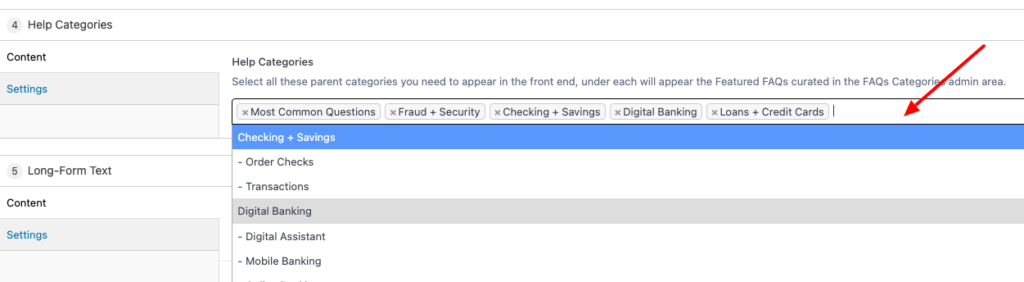
To adjust the FAQ categories that display (i.e, Most common Questions, Fraud + Security, etc), go to the Help Categories component and remove or add to this by placing your cursor in the field and scrolling thru the available Help Categories.
Adding new FAQ question or category
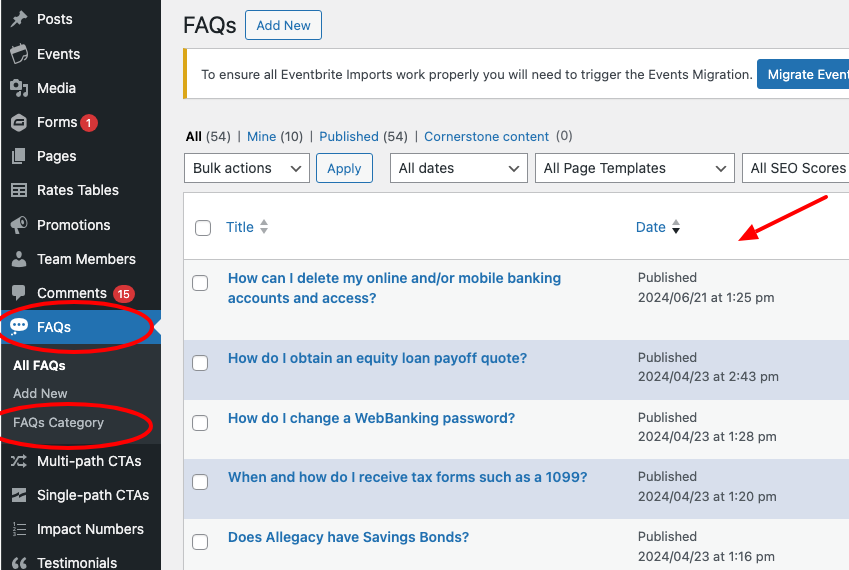
If you are adding new FAQ questions or categories, go to FAQs in the lefthand sidebar. From here you can search for the individual FAQ you wish to edit OR you can create a new FAQ category. When creating new individual FAQ’s, be sure to assign a relevant category.
Featuring FAQ’s on the Member Assistance Page
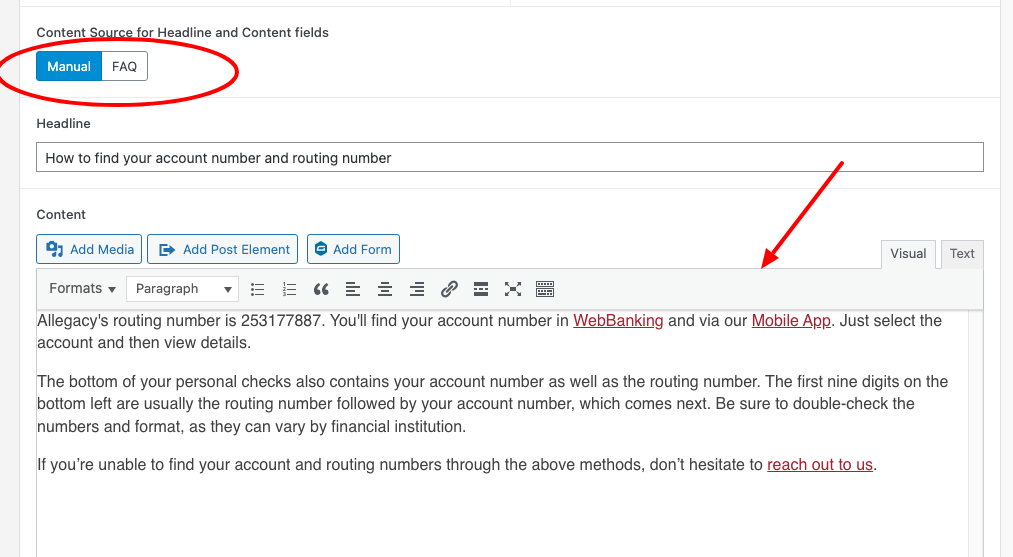
To feature individual FAQ’s on the Member Assistance Page from the FAQ reposistory, go to the “Long-Form Text” component and optionally fill out the “Section Title” and “Section Intro” fields or skip this and go straight to the “Long-Form Text” section and activate the toggle for “Content Source for Headline and Content fields” as FAQ. From here, use the drop down to select the “Featured FAQ” and add an image if you have one.

Manually adding featured FAQ’s
You also have the option to manually feature an FAQ on the Member Assistance page. To do this, toggle to the “Manual” option and enter your content directly in the “Headline” and associated “Content” fields.