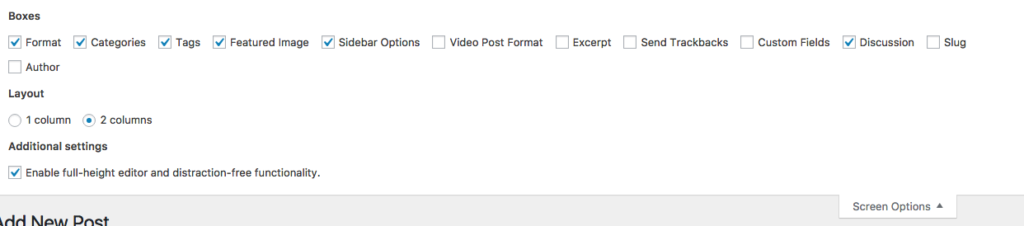
If you are using a small screen when editing in the WordPress admin area and have trouble viewing all the elements on the screen, you can select the “Screen Options” arrow in the upper right hand corner and change the layout to “1 column”
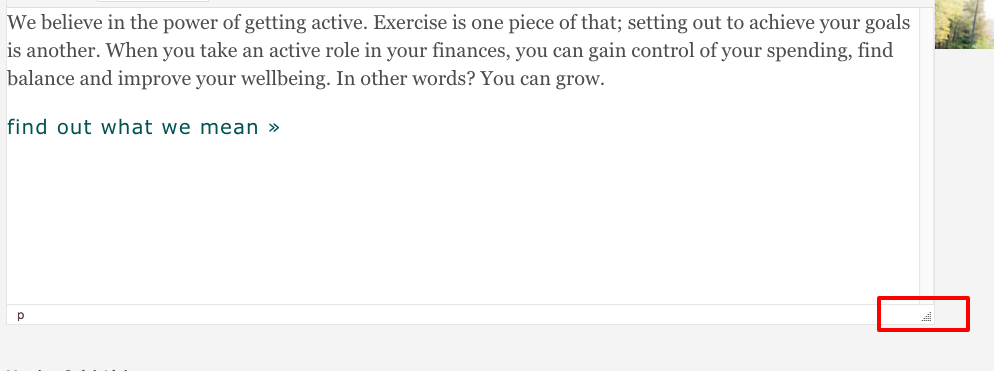
Resizing the screen
When editing any page or element of the site, you can resize the editing window by selecting the bottom right hand corner and dragging it down to increase the size of the window. Likewise, you can decrease the size by dragging it back up.
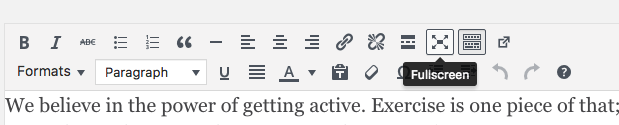
Fullscreen editing
If you have a lot of content you are editing or pasting into one element, you have the option of using “full screen” mode in the editor tool. To get out of Fullscreen mode, select the icon again.