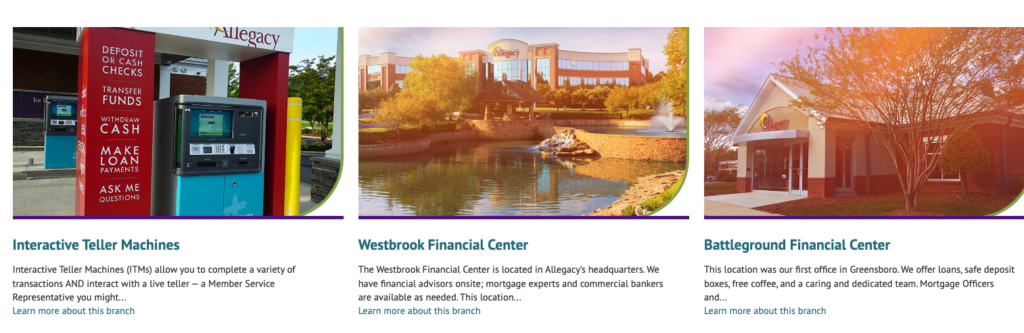
Adding a new location to the branch
map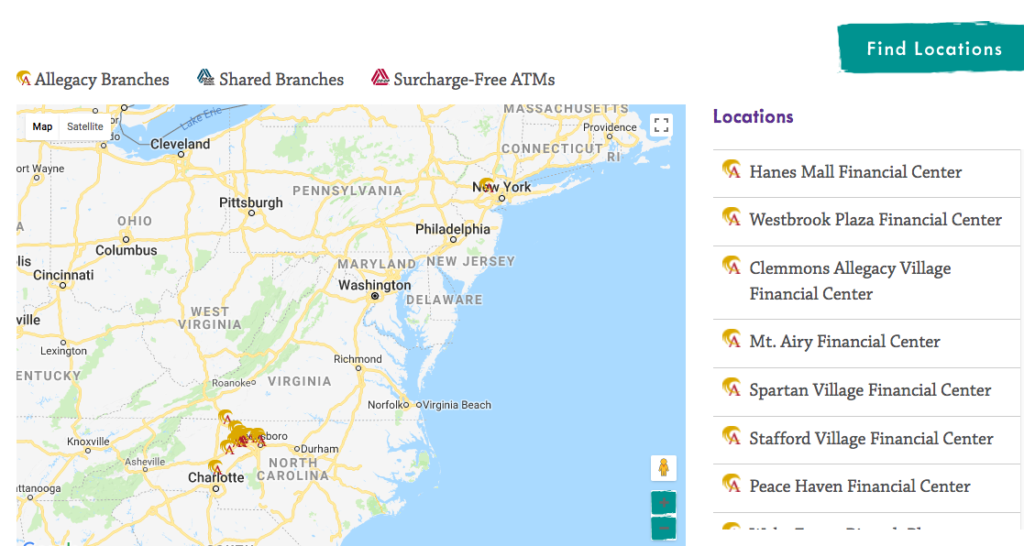
To add a new Allegacy location to the branch map, do the following:
- Go to the “Location Map” module in the lefthand sidebar of the admin area
- Scroll down to “institution branch name”. From here if you ever need to adjust the hours or remove the hours entirely, you can do so
- Scroll thru all the fields until you reach the option to “Add Branch” and enter in the relevant fields
- The longitude and latitude values can be pulled from the URL of the appropriate pin on Google Maps
- If there are any special related announcements you would like to include than scroll further down below this section to “extra info for ATMs” From here you can add any special info per location.
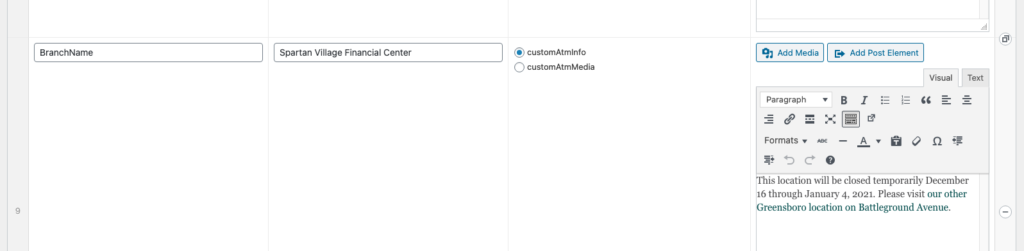
You should also build an individual branch draft page in the admin area and set the “parent” to “locations, ATMs + Hours of Operation” to have this new branch display below the map.
Ordering the locations
Indicate where the individual location should display below the map by selecting the “order” input field under “page attributes.” Note that “Interactive Teller Machines” (ITM’s) should always be marked as “0” as it needs to reside as the first item in the list. All other locations will display in ascending order according to the “order” number set. For example “Westbrook” is currently set to “1”, followed by “Battleground” set to “2” and so forth. The current order is alphabetical after the display of ITM’s and Westbrook.

If you need to add a new location and don’t set an “order” number than it will automatically float to the top (i.e, it will be the first location listed below the map and full width CTA). If you would like the new location to display as the last in the list than check the number for the last location in the grid and add your new location with the next number in ascending order inputted. If it’s a location that needs to be tucked into the grid in alphabetical order (not the first or the last) than you will need to re-order all the locations around it or request your digital marketing agency take care of this.